


QUICKBOOKS ONLINE INTEGRATION

QuickBooks Online Quoting Software and Integration

QuoteWerks extends QuickBooks Online with professional quoting, pricing control, and sales workflow, then sends clean, accurate data back to your accounting system.

THE GAP

Why QuickBooks Online Is Not Built for Quoting

Accounting Software vs Quoting Software

QuickBooks Online includes basic estimate functionality, but it is not designed for structured quoting or sales workflows.

As quoting complexity increases, limitations become clear:

  • Limited structure for multi-line or configured quotes
  • Basic pricing and discount control
  • No approval workflows
  • Manual quote creation
THE IMPACT

When Quoting and Accounting Live in the Same Tool

Small Gaps Turn Into Operational Friction

Using QuickBooks Online for both quoting and accounting creates friction:

  • Duplicate data entry between sales and accounting
  • Inconsistent pricing across quotes
  • Slower turnaround on customer quotes
  • Accounting filled with incomplete or pre-final data
  • Sales teams working inside financial systems


You end up mixing your system of record with your system of creation.

THE SOLUTION

Add CPQ Functionality to QuickBooks Online

Turn QuickBooks Into a Complete Quote-to-Cash Workflow

QuoteWerks adds CPQ (Configure, Price, Quote) functionality to QuickBooks Online without replacing it.

  • Build structured, accurate quotes
  • Control pricing and margins
  • Convert quotes into finalized transactions
  • Send clean data into QuickBooks


QuoteWerks can also leverage existing customer and product data from QuickBooks, ensuring your sales team works with accurate information from the start.

HOW THEY WORK TOGETHER

Two Systems, One Complete Workflow

Separate Your System of Creation from Your System of Record

QuoteWerks and QuickBooks Online are designed to work together.

QuoteWerks provides a two-way integration with QuickBooks Online, allowing your team to both use existing data and send finalized transactions.

QuoteWerks CPQ Software Logo

QuoteWerks

Front Office
QuoteWerks

  • Quote creation and configuration
  • Pricing and margin control
  • Proposal generation
  • Approvals and peer review

QuickBooks Online

Back Office

QuickBooks Online

  • Invoicing and payments
  • Financial reporting
  • Tax handling
  • Accounting records
DATA CONTROL

Keep QuickBooks Clean and Focused on Accounting

Avoid Cluttering Your Financial System with Pre-Sales Data

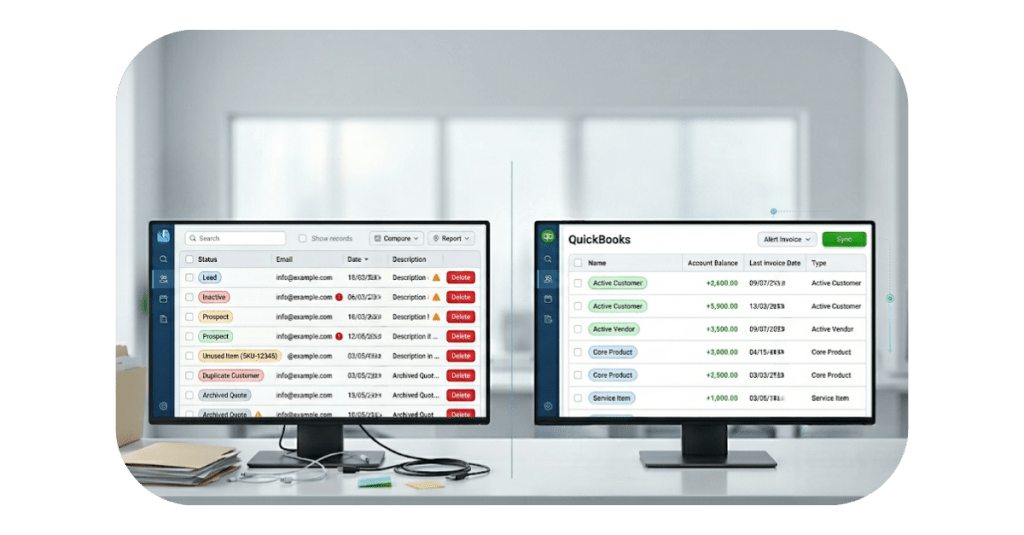
Quoting directly in QuickBooks requires creating customers and products before deals are finalized.

If those deals never convert, your system becomes cluttered.

With QuoteWerks:

  • Customers are created only when deals are won
  • Products are pushed only when they are sold
ACCESS CONTROL

Keep Sales Out of Your Accounting System

Separate Sales Activity from Financial Data

Allowing sales reps into QuickBooks introduces risk:

  • Exposure to sensitive financial data
  • Limited permission control
  • Increased licensing costs


QuoteWerks provides a dedicated quoting environment for sales.

WHY ADD THE INTEGRATION

More Than Sync. A Complete Workflow.

Remove Manual Work and Reduce Errors

  • Eliminate duplicate data entry
  • Reduce invoicing errors
  • Shorten time from quote to cash
  • Maintain accurate financial records
INTEGRATION DETAILS

QuickBooks Online Integration Is Available as an Add-On

Extend Your Workflow When You’re Ready

The integration is available as an additional subscription for teams ready to connect sales and accounting workflows.

WHAT QUOTEWERKS ADDS

Professional Quoting Built for Sales Teams

More Control, Accuracy, and Consistency

QuoteWerks gives your sales team the tools needed to create accurate, consistent, and professional quotes without relying on accounting software.

  • Structured quotes with line items, bundles, and configurations
  • Controlled pricing, discounting, and margin visibility
  • Approval workflows and peer review
  • Professional, customer-ready proposals
  • Real-time insight into profitability at the quote level
  • Use customer and product data from QuickBooks alongside other integrated sources


By separating quoting from accounting, your team can move faster while maintaining control and accuracy.

HOW IT WORKS

Native QuickBooks Online Integration for Quoting and Orders

A Two-Way Connection Between Sales and Accounting

QuoteWerks provides a native integration with QuickBooks Online that connects your quoting and accounting workflows without middleware (Zapier, n8n, etc) or third-party connectors.

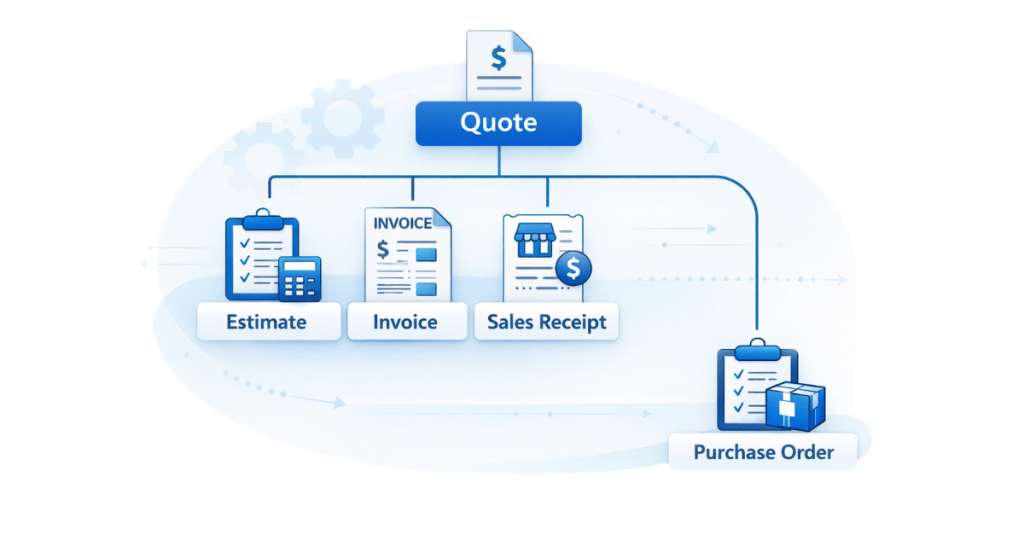
  • Create estimates, invoices, or sales receipts in QuickBooks from finalized quotes
  • Automatically create or match customers in QuickBooks
  • Sync product and pricing data between systems
  • Convert quotes into transactions without re-entry
  • Retrieve customers and contacts from QuickBooks Online for use in quoting
  • Access and use the QuickBooks Item List alongside other product sources in QuoteWerks


QuoteWerks not only sends data to QuickBooks, it also pulls customer and product data into the quoting process.

This ensures your team is always working with accurate information while keeping QuickBooks clean and focused on financial data.

TRANSACTION FLOW

Estimate, Invoice, or Sales Receipt — Your Choice

Send Only the Finalized Transaction

  • Estimate
  • Invoice
  • Sales Receipt


Only one transaction is sent per document to maintain clean accounting records.

Also Generate Purchase Orders for Vendors

  • Create Purchase Orders from won items
  • Align purchasing with sales
PAYMENT FLOW

Collect Payments and Keep QuickBooks in Sync

Support QuickBooks Payments or Your Existing Gateway

With QuoteValet:

  • Customers can view, accept, and pay quotes online
  • Use QuickBooks Payments or another gateway
  • Payments are recorded in QuickBooks


This ensures accurate financial reporting regardless of payment method.

PROCESS

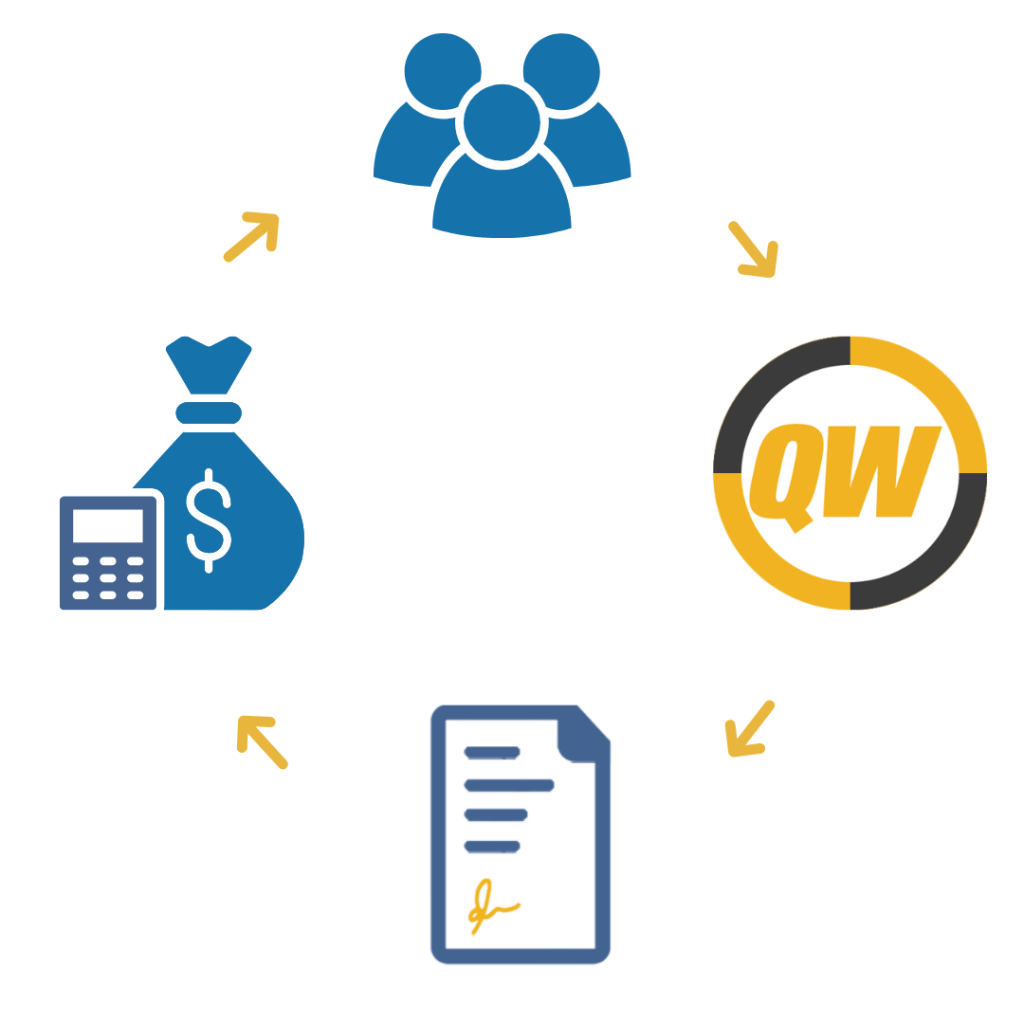
QuickBooks Quote-to-Cash Workflow

From Quote to Payment Without Re-Typing

WORKFLOW COMPARISON

QuickBooks Estimates vs Professional Quoting Software

See the Difference

Capability QuickBooks Only QuoteWerks + QuickBooks
Quote structure
Basic
Advanced
Pricing control
Limited
Controlled
Workflow
Minimal
Complete
Data entry
Manual
Automated
Accuracy
At risk
Reliable
WHO THIS IS FOR

Built for Teams That Need More Than Basic Quoting

When QuickBooks Alone Is No Longer Enough

  • MSPs
  • VARs
  • Service businesses
  • Hybrid product/service companies
  • Companies looking to grow
SETUP

Get Up and Running Quickly

Simple Configuration

  • Connect QuickBooks Online
  • Configure settings
  • Test workflow
NEXT STEP

Complete Your Quote-to-Cash Workflow

Add Structured Quoting to QuickBooks Online Without Disruption

Use QuoteWerks to handle quoting while QuickBooks handles accounting.

Everything You Need to Know About the Integration

Common Questions About QuoteWerks and QuickBooks Online

Is QuickBooks Online a quoting software?

QuickBooks Online includes basic estimate functionality, but it is not a full quoting or CPQ solution. It lacks structured quoting, pricing control, approval workflows, and professional proposal generation.

Most growing teams use QuickBooks for accounting and a dedicated solution like QuoteWerks for quoting.

Does QuoteWerks replace QuickBooks Online?

No. QuoteWerks complements QuickBooks Online.

QuoteWerks handles quoting, pricing, and sales workflows, while QuickBooks manages invoicing, payments, and financial reporting. Together, they create a complete quote-to-cash process.

How does QuoteWerks integrate with QuickBooks Online?

QuoteWerks provides a native integration that connects directly to QuickBooks Online.

The typical workflow looks like this:

  1. A quote is created in QuoteWerks
  2. The quote is finalized and converted into an order
  3. The order is sent to QuickBooks as a transaction (estimate, invoice, or sales receipt)
  4. Customers and products are automatically created or matched in QuickBooks
  5. Payment activity is recorded in QuickBooks once collected

This eliminates manual data entry and keeps both systems aligned.

Do I need middleware like Zapier to connect QuoteWerks to QuickBooks Online?

No. QuoteWerks includes a native integration with QuickBooks Online.

There is no need for third-party middleware or connectors. This reduces complexity, improves reliability, and eliminates additional points of failure.

What transaction types can QuoteWerks send to QuickBooks Online?

QuoteWerks sends each finalized document as a single transaction type:

  • Estimate
  • Invoice
  • Sales Receipt

Only one transaction is created per document to ensure QuickBooks reflects finalized business activity, not in-progress quotes.

Can QuoteWerks create Purchase Orders in QuickBooks Online?

Yes. QuoteWerks can generate Purchase Orders based on the items in your quote.

This allows you to manage vendor purchasing alongside your sales process and keep procurement aligned with customer orders.

Will I have to re-enter customers or products?

No. QuoteWerks can automatically create or match customers and products in QuickBooks Online.

  • New customers are created when a deal is finalized
  • Existing customers are matched automatically
  • Products can be created in QuickBooks based on quote line items

This eliminates duplicate data entry and reduces errors.

How does QuoteWerks keep QuickBooks data clean?

QuoteWerks ensures that only finalized transactions are sent to QuickBooks.

This prevents your accounting system from being cluttered with:

  • Leads that never became customers
  • Quotes that never converted
  • Products that were never sold

QuickBooks remains focused on financial data, not pre-sales activity.

Can customers pay directly through QuoteWerks?

Yes. Using QuoteValet, customers can view, accept, and pay for quotes online.

You can use QuickBooks Payments for a fully connected experience or another supported payment gateway. In both cases, payment activity can be recorded in QuickBooks Online.

What happens if I use a different payment gateway?

If you use a payment gateway other than QuickBooks Payments, QuoteWerks can still ensure that payment information is recorded in QuickBooks.

This allows you to maintain flexibility in how you collect payments while keeping your financial records accurate.

How long does it take to set up the QuickBooks Online integration?

Most teams can configure the integration quickly.

Setup typically includes:

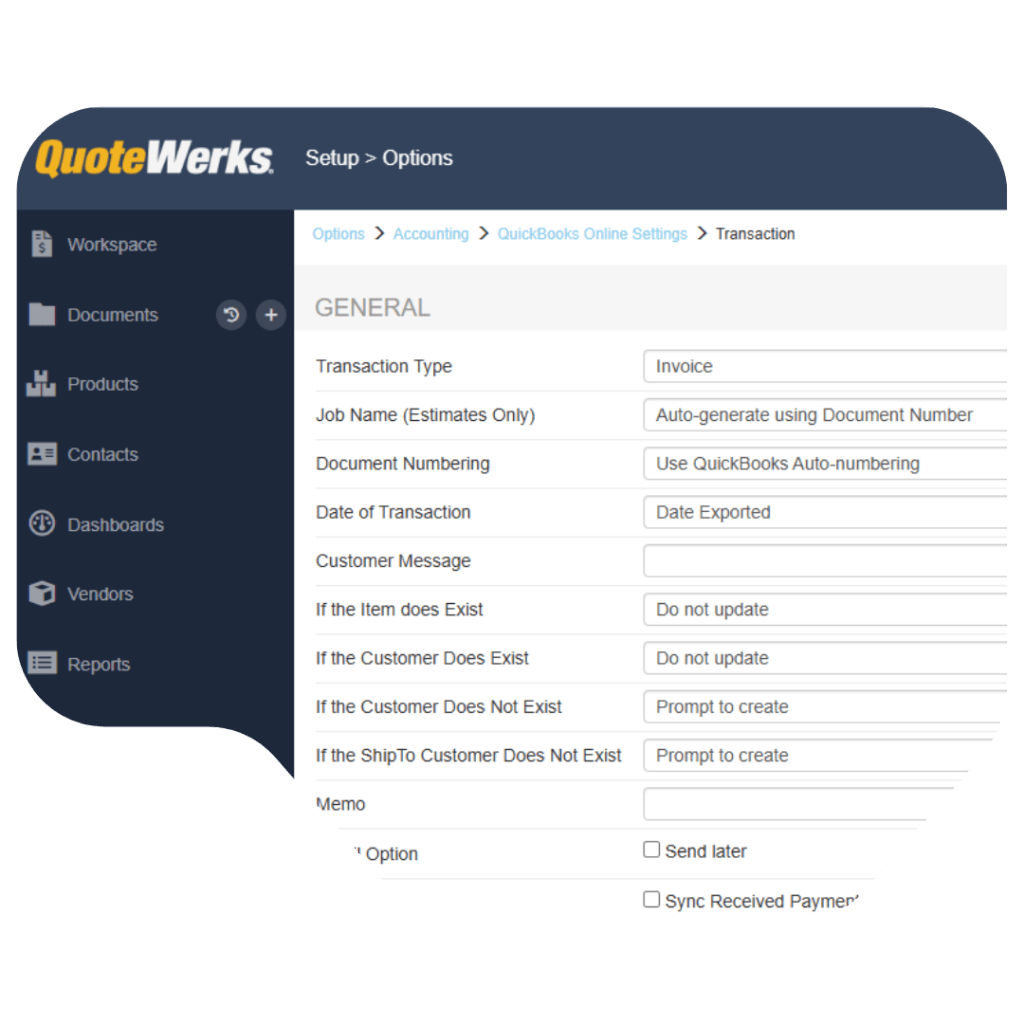
  • Connecting your QuickBooks Online account
  • Mapping customers, products, and accounts
  • Configuring transaction preferences (estimate, invoice, or sales receipt)
  • Testing the workflow

Once configured, the integration runs seamlessly in the background.

Why use QuoteWerks instead of quoting directly in QuickBooks Online?

QuickBooks Online is designed for accounting, not quoting.

QuoteWerks provides:

  • Structured quote creation
  • Advanced pricing and margin control
  • Approval workflows
  • Professional proposal output
  • Integration with CRM and vendor systems

Using both together allows each system to do what it was designed for, resulting in a faster, more accurate quote-to-cash process.

Can QuoteWerks pull customers and contacts from QuickBooks Online?

Yes. QuoteWerks can retrieve customer and contact information from QuickBooks Online, allowing your sales team to use existing data when creating quotes if you do not already have a CRM or Contact Manager.

This eliminates the need to re-enter customer information and ensures consistency between systems.

Can QuoteWerks use products from the QuickBooks Item List?

Yes. QuoteWerks can read the QuickBooks Item List and use those products when building quotes.

These items can be used alongside other product sources in QuoteWerks, giving your team flexibility while keeping product data aligned with QuickBooks.

Years in Business
0 +
Active Users
0 +
Countries
0

Ready to grow your business?