
QuoteWerks + Datto’s Autotask PSA: CPQ Integration for MSPs
Accurate Quoting, Built For Autotask
For MSPs running Datto’s Autotask PSA, QuoteWerks delivers a true CPQ layer. Create structured, margin-controlled quotes in QuoteWerks while keeping the related Autotask Quote and Opportunity aligned with what was actually sold.
Advanced quoting flexibility for sales. Clean, reliable data inside Autotask.

CPQ INTEGRATION FOR DATTO’S AUTOTASK PSA
Seamless Quoting for Autotask-Driven MSPs
QuoteWerks tightens the gap between sales and service for MSPs running Datto’s Autotask PSA. Instead of treating your PSA as just a ticketing system, QuoteWerks makes it the backbone of your quote-to-contract lifecycle by automating the flow of customers, pricing, quotes, opportunities, and service data.
With native Autotask integration, you eliminate friction at every handoff, proposals turn into opportunities, product selections map to service contracts, and change orders update automatically, keeping revenue and delivery teams synchronized.
If your MSP depends on Autotask for workflow execution, QuoteWerks ensures the data you quote with is the same data you deliver service against.
Eliminate Double Entry
Create a QuoteWerks quote and automatically link it to both the Autotask Quote and the associated Autotask Opportunity. Customer records stay aligned while line items populate inside Autotask without manual re-entry.
Your sales data flows cleanly into your PSA — no duplicate quote building.
Protect Margin and Forecasting
Build complex, margin-controlled quotes in QuoteWerks while keeping Autotask Opportunities updated and visible for pipeline tracking. Line items pushed into Autotask Quotes ensure revenue projections reflect what was actually sold.
Accurate pricing in sales. Accurate forecasting in Autotask.
Automate Autotask Workflow
When a quote is created in QuoteWerks, it connects directly to the corresponding Autotask Quote and Opportunity. Products and pricing flow into Autotask automatically, reducing friction between quoting and pipeline management.
Your team quotes in QuoteWerks while Autotask stays current.
DATTO’S AUTOTASK PSA + CPQ
Enterprise-Grade CPQ for Autotask MSPs
Autotask PSA is built to manage service delivery. QuoteWerks is built to manage complex quoting.
Unlike basic PSA quoting modules, QuoteWerks is a full Configure, Price, Quote (CPQ) platform designed for MSPs selling multi-line hardware, software, recurring services, and bundled solutions.
With direct integration to Datto’s Autotask PSA, your QuoteWerks quote links to both the Autotask Quote and the associated Opportunity. Line items flow into Autotask automatically, keeping pipeline visibility accurate without sacrificing advanced quoting control.
No rebuilding quotes inside your PSA. No disconnected pricing tools. No spreadsheet workarounds.
For MSPs running Autotask, this is CPQ built to support real-world sales complexity.

QUOTEWERKS VS KASEYA QUOTE MANAGER
Built for MSP Sales Strategy, Not Retail Storefront Competition
Kaseya Quote Manager is optimized for storefront-style quoting where customers browse large public catalogs and select products. That model can work for some purchase scenarios.
Once your quoting experience starts to resemble Amazon or CDW, you are competing on catalog size and visible pricing instead of differentiated MSP value.
QuoteWerks takes a different approach. Instead of exposing hundreds of thousands of searchable SKUs, QuoteWerks enables MSPs to:
-
Automate repeat customer reorders
-
Deliver curated, preconfigured bundles tailored to your services model
-
Present special offers that reflect how you sell managed services
-
Apply consistent margin and pricing logic
You guide the buying experience. You do not compete in a public marketplace.
With direct integration to Datto’s Autotask PSA, QuoteWerks creates a QuoteWerks quote that links to both the Autotask Quote and the associated Opportunity. Line items flow into Autotask automatically, keeping your PSA accurate without manual entry.
For MSPs focused on recurring revenue and strategic account growth, QuoteWerks is CPQ built for how your business actually sells.
ALIGNED OPERATIONAL DATA
Keep Autotask Accurate In Every Stage of the Quote
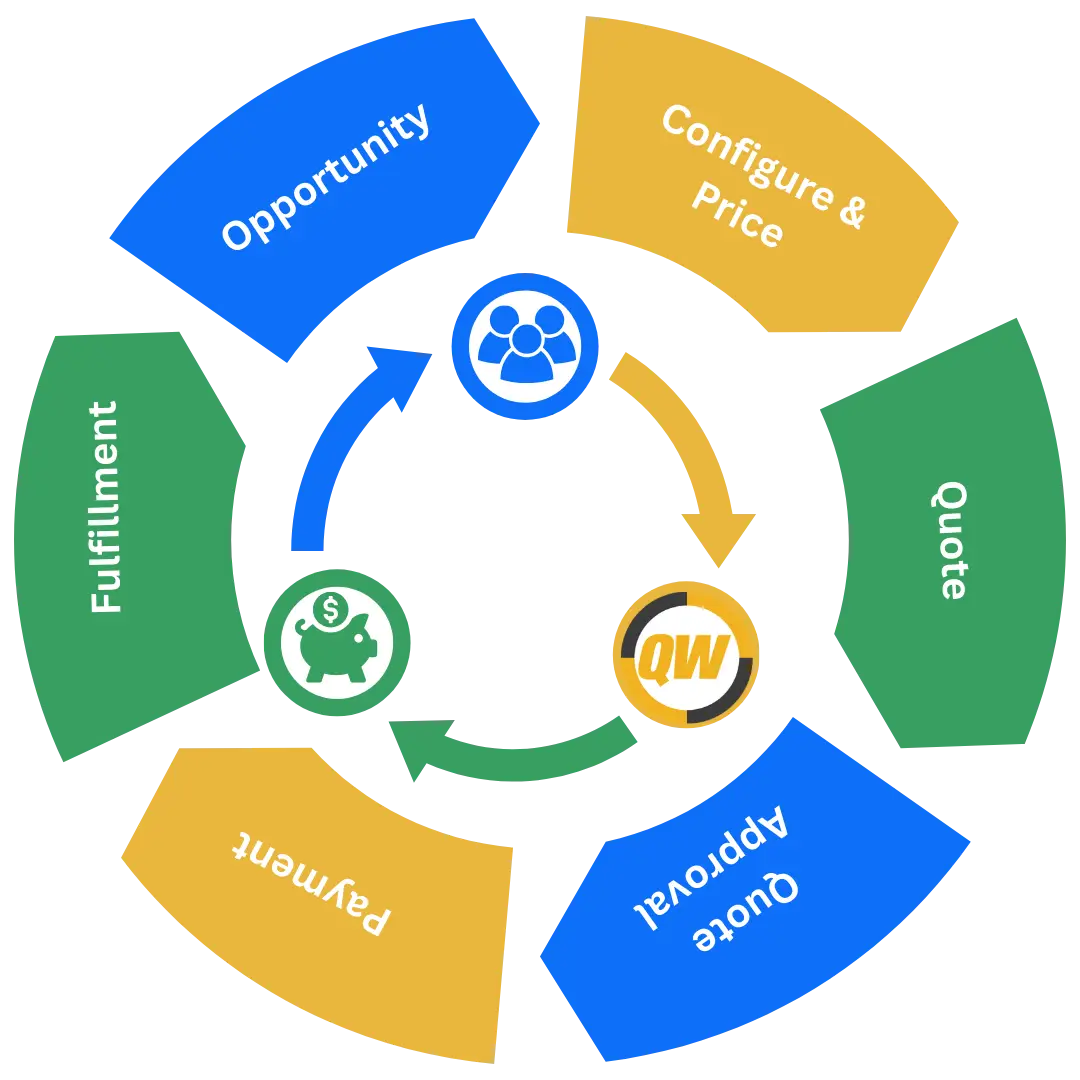
When a quote is created and finalized in QuoteWerks, it is linked to the corresponding Autotask Quote and Opportunity. Line items are reflected directly inside the Autotask Quote so your PSA mirrors what was actually sold.
This ensures:
Autotask Opportunities reflect real quoted revenue
Autotask Quotes contain the correct products and pricing
Sales and service teams work from the same information
No rebuilding quotes inside Autotask
Your team operates from accurate data without rekeying the sale inside your PSA.
This is where disciplined CPQ creates operational clarity.

WHY MSPS CHOOSE QUOTEWERKS
Proven Quoting Software for the Kaseya Community
MSPs across the Kaseya ecosystem choose QuoteWerks because it delivers serious CPQ capability without the complexity of enterprise systems or the limitations of PSA-native quoting tools.
Fast deployment with no extended implementation cycles
Concurrent licensing that scales with how MSP teams actually operate
Direct phone support from real people who understand MSP sales workflows
100 percent money-back guarantee
QuoteWerks has supported Autotask environments for years and remains one of the most established CPQ integrations within the broader Kaseya community.
CRM + AUTOTASK FLEXIBILITY
Pipeline in Your CRM. Execution in Autotask.
Modern MSPs often separate revenue management from service delivery. QuoteWerks supports that model.
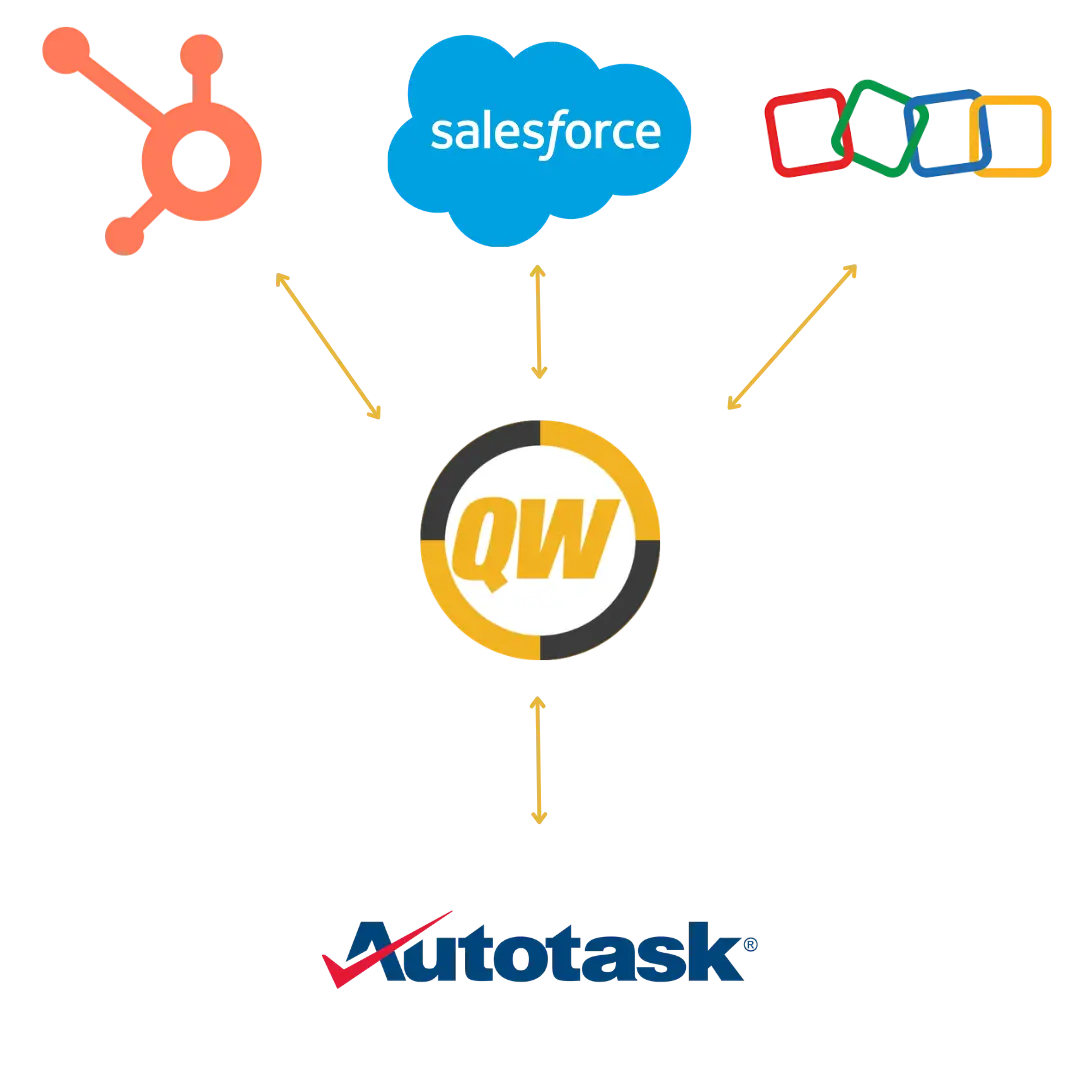
Build and manage opportunities inside HubSpot, Salesforce, or your CRM of choice, then ensure Autotask reflects finalized quotes and related records for operational execution.
You are not locked into PSA-driven pipeline management. Your systems work together instead of competing.
How MSPs Use QuoteWerks with Datto’s Autotask PSA
New Client Sales
Quote → Linked to Autotask Quote → Opportunity Updated → Service Planning
Sales builds and finalizes the quote in QuoteWerks. The related Autotask Quote and Opportunity reflect the same products and revenue expectations for operational visibility.
Managed Services Growth
Recurring Services Quoted → Autotask Opportunity Reflects Revenue
MSPs use QuoteWerks to structure recurring services and pricing while ensuring Autotask Opportunities reflect accurate projected revenue for forecasting and account management.
Hardware & Solution Sales
Bundled Solutions Quoted → Line Items Reflected in Autotask Quote
Complex hardware and service bundles are built in QuoteWerks. The associated Autotask Quote reflects the same products and pricing without rebuilding the quote inside your PSA.
Core Platform Comparisons
QuoteWerks vs Basic Autotask Quoting Tools
Not all quoting tools used with Datto’s Autotask PSA are full CPQ platforms. While PSA-native quoting can handle simple line items, MSPs selling bundled hardware, recurring services, and structured offers often require deeper pricing control and configuration flexibility.
| Capability | QuoteWerks | Basic PSA / Storefront Quoting |
|---|---|---|
| Full CPQ Engine | Yes | Limited |
| Advanced Margin Control | Yes | Basic |
| Bundled Hardware + Services | Yes | Limited |
| Curated Offers & Reorders | Yes | Limited |
| Concurrent Licensing | Yes | Typically No |
| Direct Phone Support | Yes | Often Ticket-Based |
AUTOTASK PSA + CPQ & QUOTING INTEGRATION FAQ
QuoteWerks Integration Capabilities with Datto’s Autotask PSA
From our Sold To / Ship To tab of the QuoteWerks quote workbook, you can search the Autotask database for a contact by name, account name, or phone number. QuoteWerks will fill in the contact information in the quote by pulling the contact information from the contact that you searched for. You will never have to re-type your customer information.
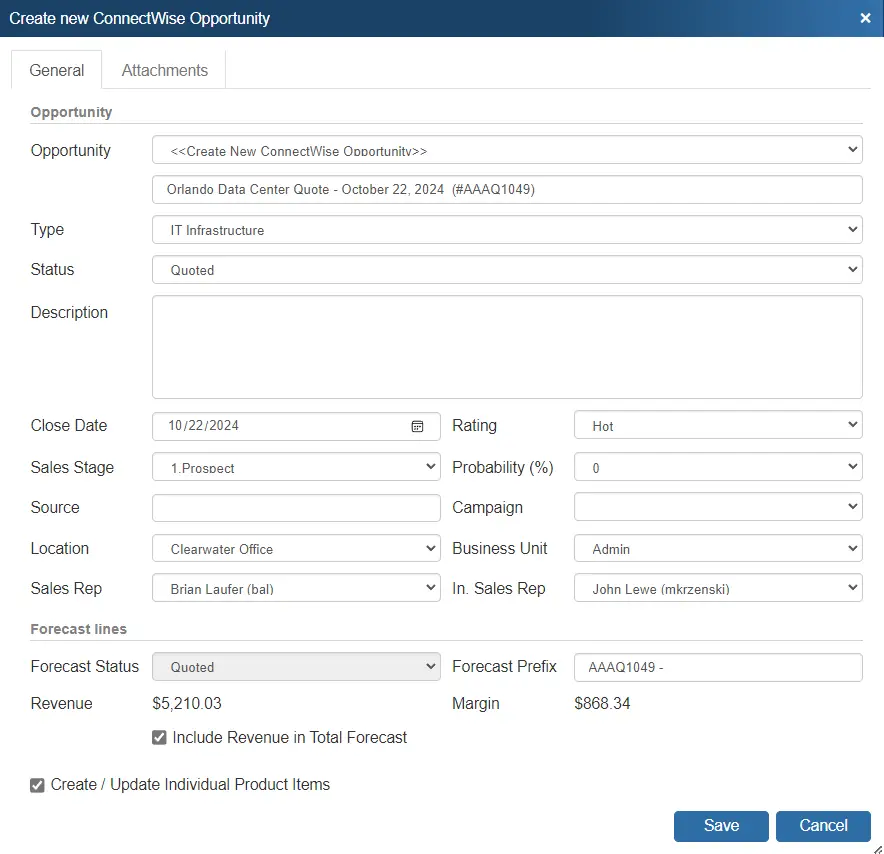
When saving a quote, QuoteWerks automatically creates a link to the quote under the Attachments tab in the Autotask Opportunity. You can even click on the attachment and QuoteWerks will open and display the quote the attachment refers to. This feature is very useful for organizing and finding your quotes from within Autotask. If this is a remote install or satellite office, opening that document link will import that quote into that QuoteWerks installation.
When saving a quote, QuoteWerks automatically creates an Opportunity in Autotask. When you are in Autotask, you will see the sales opportunities and their sale amounts for each quote you have created for this contact. The Opportunity feature is very useful in determining your projected cash flow.
When saving a quote, QuoteWerks can create an Autotask Quote associated with the Opportunity. Line item detail from the QuoteWerks Quote will automatically transfer to the Autotask Quote including recurring revenue details.
When you select the Autotask contact to use in the quote, our innovative DataLink feature can automatically pull other information from Autotask into the quote such as sales tax, customer terms, customer profile, shipping method, etc. Customer profiles can be used by QuoteWerks to determine the appropriate pricing a particular customer should receive.
The Autotask DataLink is bi-directional, so field information can be copied from QuoteWerks into the Autotask opportunity and then fields can also be copied from the Autotask Opportunity into QuoteWerks.
As an example, you can use the Datalink to auto-retrieve the Sales Tax Rate for the Company in Autotask into QuoteWerks.
QuoteWerks can easily create Autotask Purchase Orders that contain items from a single or multiple orders. Items that do not exist in Autotask will be created. Additionally if using the Online Ordering feature of the real-time module, after the items are ordered you will be asked if you want to create a Purchase Order in Autotask for the items you just ordered electronically. The Autotask Purchasing Module is required to use this feature. If you do not have the Autotask Purchasing Module, QuoteWerks can create POs in QuickBooks.
When creating Quotes in Autotask, those products will be created in the Autotask products databases for future use if the item does not already exist in Autotask. In fact, you can even use this feature to completely populate your Autotask product database (effectively importing products into Autotask) with products from QuoteWerks product databases or your QuickBooks items list.
QuoteWerks enables you to use the products, services, and Labor Items you already have in Autotask. QuoteWerks can link to the Autotask Products and/or Services databases as Product Data Sources. From within QuoteWerks, you can search the Autotask databases and add these products and services to your QuoteWerks quote.
Autotask Products are shown with a hierarchal tree view of all the Autotask Products Category levels. This makes finding and navigating to products in QuoteWerks even easier than in Autotask PSA itself!
From within QuoteWerks, you can enter a new lead in the quote and simply click on a button to create that company and contact in Autotask.
Does your sales team utilize a CRM other than Autotask? QuoteWerks integrates with the leading CRM packages and provides the ability to use Autotask as a secondary CRM. This lets Autotask users use QuoteWerks with a CRM like HubSpot, Microsoft Dynamics CRM, salesforce.com, or the other supported CRMs to do all their prospecting and quoting leveraging our dynamic CRM integrations. Then, when the quote becomes an order, QuoteWerks can create or link to the customer in Autotask and create the sales opportunity, products, and service tickets, and more in Autotask.
From the My Summary Dashboard in QuoteWerks, you will see all Opportunities in Autotask that need a Quote created. This feature was designed so people on the road using Autotask can enter basic specifications for the Autotask opportunity. Then, in the office, the person assigned to create quotes will automatically be notified that s/he needs to create a quote for this opportunity.
While working in QuoteWerks, you can easily launch the contact, opportunity, or quote that you are working with. You can launch the contact anytime in Autotask from the Sold To/Ship To tab in QuoteWerks. While updating an existing Autotask Opportunity or Quote, you can easily view them in Autotask with a click of a button ensuring you have a seamless integration with Autotask.
General
What is the best CPQ software for Datto’s Autotask PSA?
The best CPQ software for Datto’s Autotask PSA allows MSPs to build structured quotes while keeping Autotask records aligned with what was sold. QuoteWerks is built specifically for MSP sales workflows and connects directly with Autotask Quotes and Opportunities.
Instead of relying on basic PSA quoting features, QuoteWerks provides advanced configuration, pricing control, and professional proposal generation while ensuring Autotask reflects the correct products, pricing, and revenue expectations.
Does Autotask PSA include built-in CPQ functionality?
Autotask PSA includes basic quoting capabilities, but it is not a full Configure, Price, Quote (CPQ) platform. MSPs selling bundled solutions, recurring services, and multi-vendor products often require deeper pricing logic, margin control, and proposal automation.
QuoteWerks provides those capabilities while integrating directly with Autotask for operational visibility.
How does QuoteWerks integrate with Datto’s Autotask PSA?
QuoteWerks connects directly with Autotask Accounts, Contacts, Quotes, and Opportunities. Quotes created in QuoteWerks can be linked to Autotask records, and line items can be reflected within Autotask Quotes so both systems reference the same information.
This allows sales teams to use advanced quoting tools while Autotask maintains accurate operational records.
Can QuoteWerks update existing Autotask Opportunities?
Yes. QuoteWerks can link quotes to existing Autotask Opportunities so sales activity remains visible inside the PSA. This helps maintain accurate pipeline forecasting while allowing sales teams to work in a dedicated CPQ environment.
Is QuoteWerks built specifically for MSPs?
Yes. QuoteWerks is designed around MSP sales models including hardware, software, recurring services, and bundled offerings. It supports the structured quoting, margin control, and vendor integrations commonly required by managed service providers.
What happens after a quote is finalized?
Once a quote is finalized in QuoteWerks, it can be linked to the corresponding Autotask Quote and Opportunity. Line items from the quote are reflected in the Autotask Quote record so service and operations teams can reference the same information.
This keeps your PSA aligned with what was actually sold without rebuilding quotes inside Autotask.
Can I use HubSpot or Salesforce with Autotask PSA?
Yes. Many MSPs use a dedicated CRM such as HubSpot or Salesforce for pipeline management while using Autotask for service delivery. QuoteWerks supports this model by connecting quoting workflows with both systems.
Your CRM manages pipeline activity while Autotask maintains operational records.
How is QuoteWerks different from Autotask quoting tools?
Autotask quoting features are designed for basic line-item quotes. QuoteWerks is a full CPQ platform that supports complex product bundles, pricing rules, professional proposal templates, and structured quoting workflows.
This allows MSPs to manage sophisticated sales processes while keeping Autotask aligned with the final quote data.
Why do MSPs choose QuoteWerks for Autotask environments?
MSPs choose QuoteWerks because it provides powerful quoting capabilities without forcing them to abandon their existing PSA or CRM strategy.
QuoteWerks allows sales teams to manage complex quotes while ensuring Autotask maintains accurate records for operational visibility and service delivery.
How does QuoteWerks compare to Kaseya Quote Manager?
QuoteWerks and Kaseya Quote Manager both support quoting workflows for MSPs using Datto’s Autotask PSA, but they are designed around very different sales models.
Kaseya Quote Manager is primarily built as a storefront-style quoting system. In this model, customers or sales teams browse large product catalogs and select items in a way that resembles retail purchasing platforms. This approach works well for environments where the goal is to expose a broad catalog and allow customers to search for products similar to how they might shop on Amazon or CDW.
QuoteWerks takes a different approach that aligns more closely with how most managed service providers sell solutions. Rather than relying on a public storefront with hundreds of thousands of searchable SKUs, QuoteWerks focuses on structured Configure, Price, Quote (CPQ) workflows that allow MSPs to present curated offers tailored to each client.
With QuoteWerks, sales teams can create structured quotes that combine hardware, software, and recurring services into organized bundles. MSPs can apply consistent pricing rules, control margins, build repeatable service packages, and generate professional proposals without forcing customers to browse massive catalogs.
This model allows MSPs to guide the buying experience instead of competing directly with retail-style marketplaces. When customers are presented with curated bundles, special offers, and repeatable service packages, the conversation stays focused on value, expertise, and long-term service relationships rather than simple product price comparisons.
QuoteWerks also provides deeper CPQ capabilities than typical storefront quoting tools. These include advanced product configuration, margin management, proposal automation, quote version control, and structured quoting workflows that support complex MSP sales environments.
For MSPs using Datto’s Autotask PSA, QuoteWerks integrates with Autotask Quotes and Opportunities so the products and pricing in a finalized quote are reflected in the PSA. This allows sales teams to use a dedicated CPQ platform while Autotask maintains operational visibility into the sales pipeline.
While Kaseya Quote Manager is well suited for storefront-style purchasing models, QuoteWerks is designed for MSPs that want greater control over how solutions are packaged, priced, and presented to customers.
For organizations focused on recurring services, curated solutions, and long-term client relationships, QuoteWerks provides a more structured CPQ platform than catalog-driven quoting tools.